Background Waves

A CRM built for
Insurance Distribution.

GET A DEMO
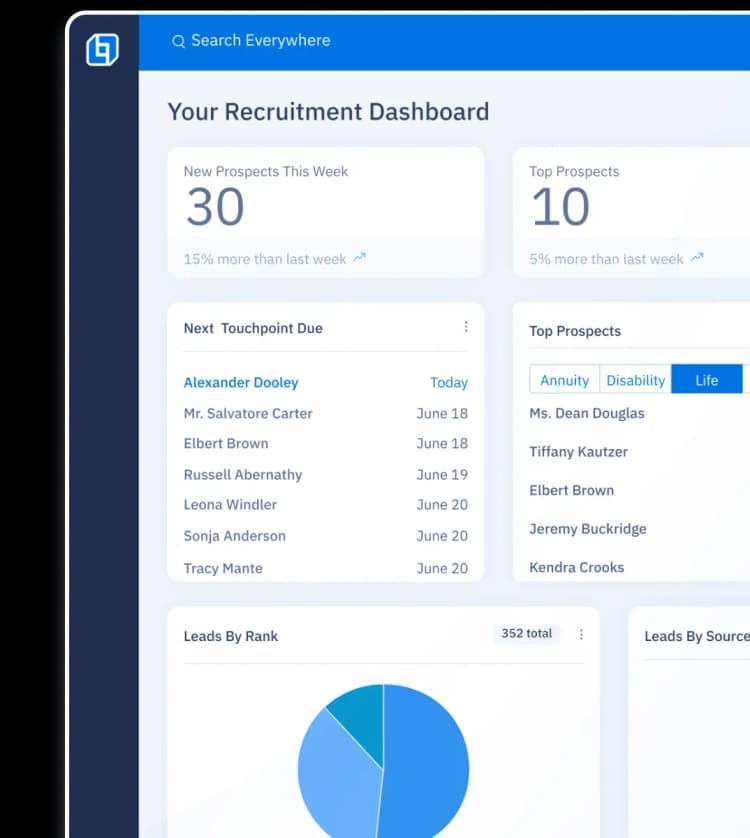
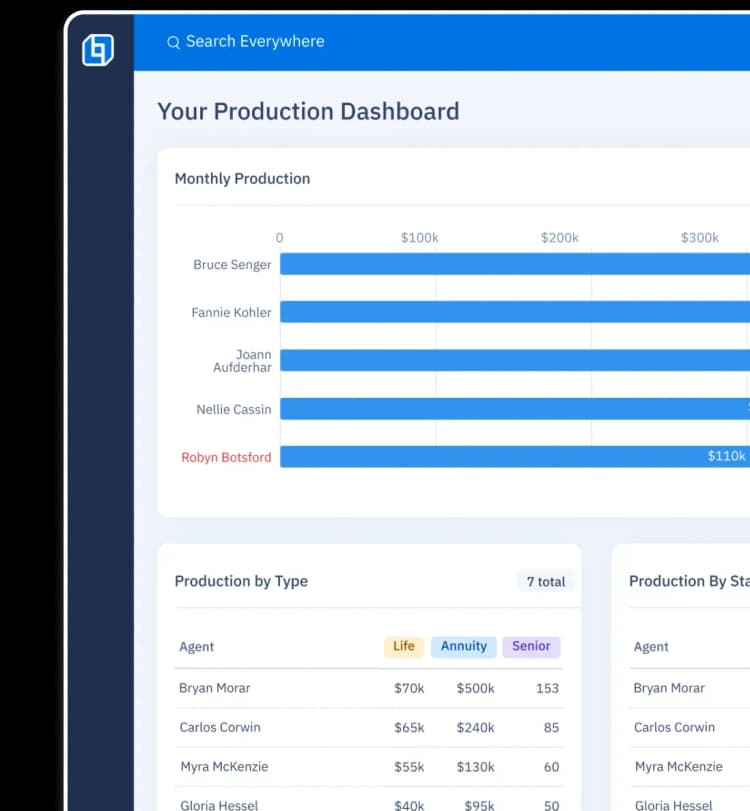
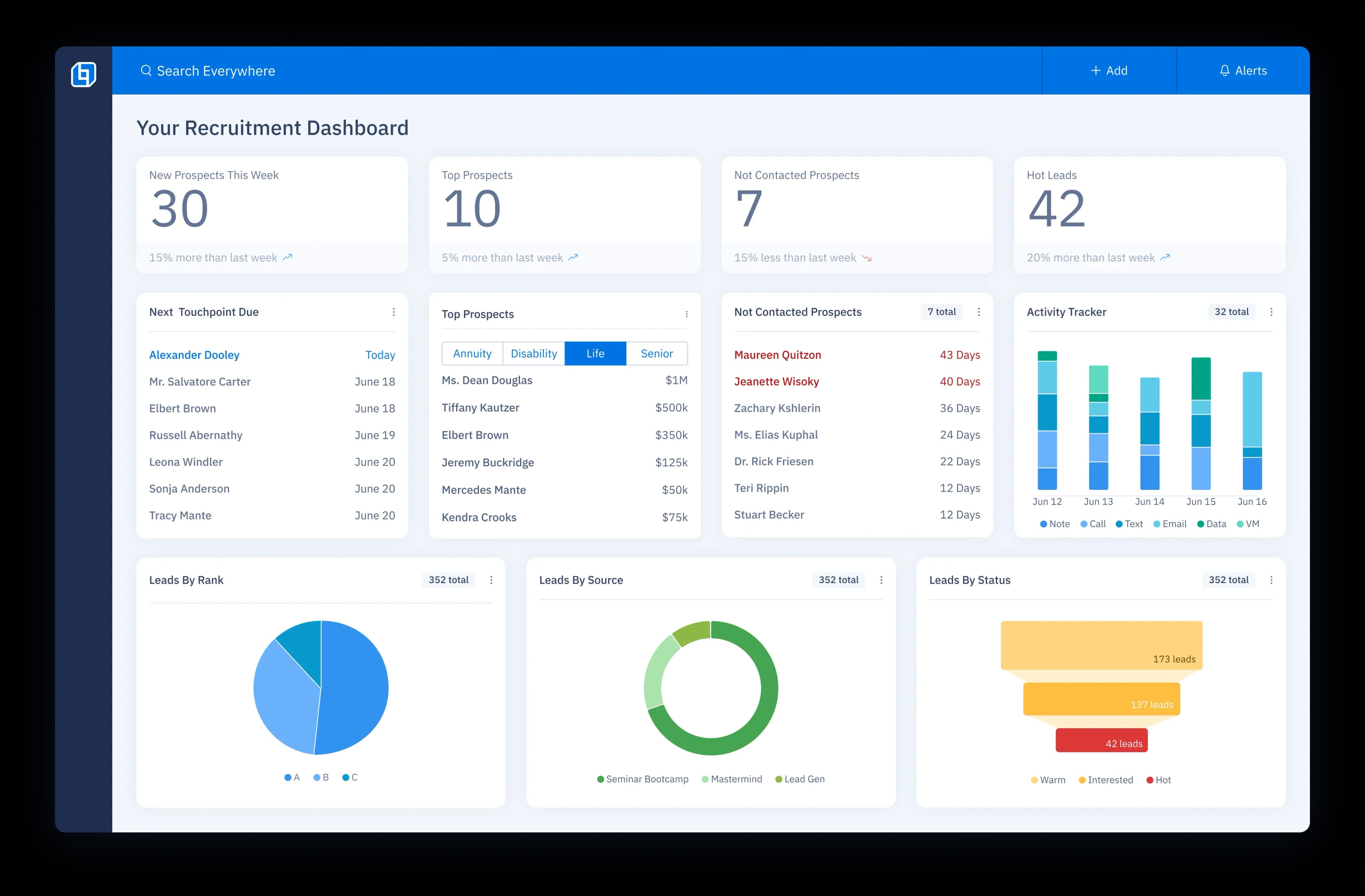
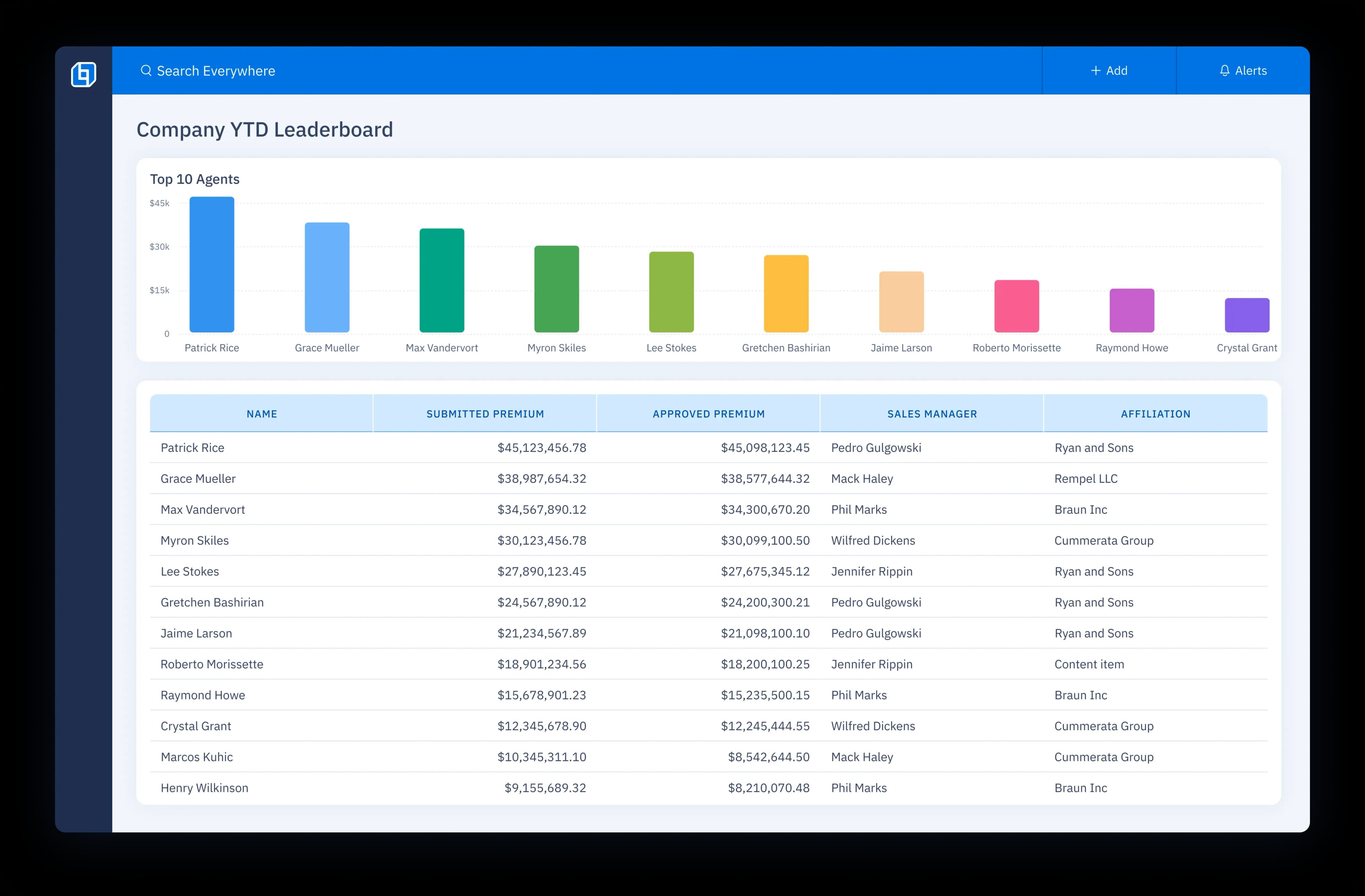
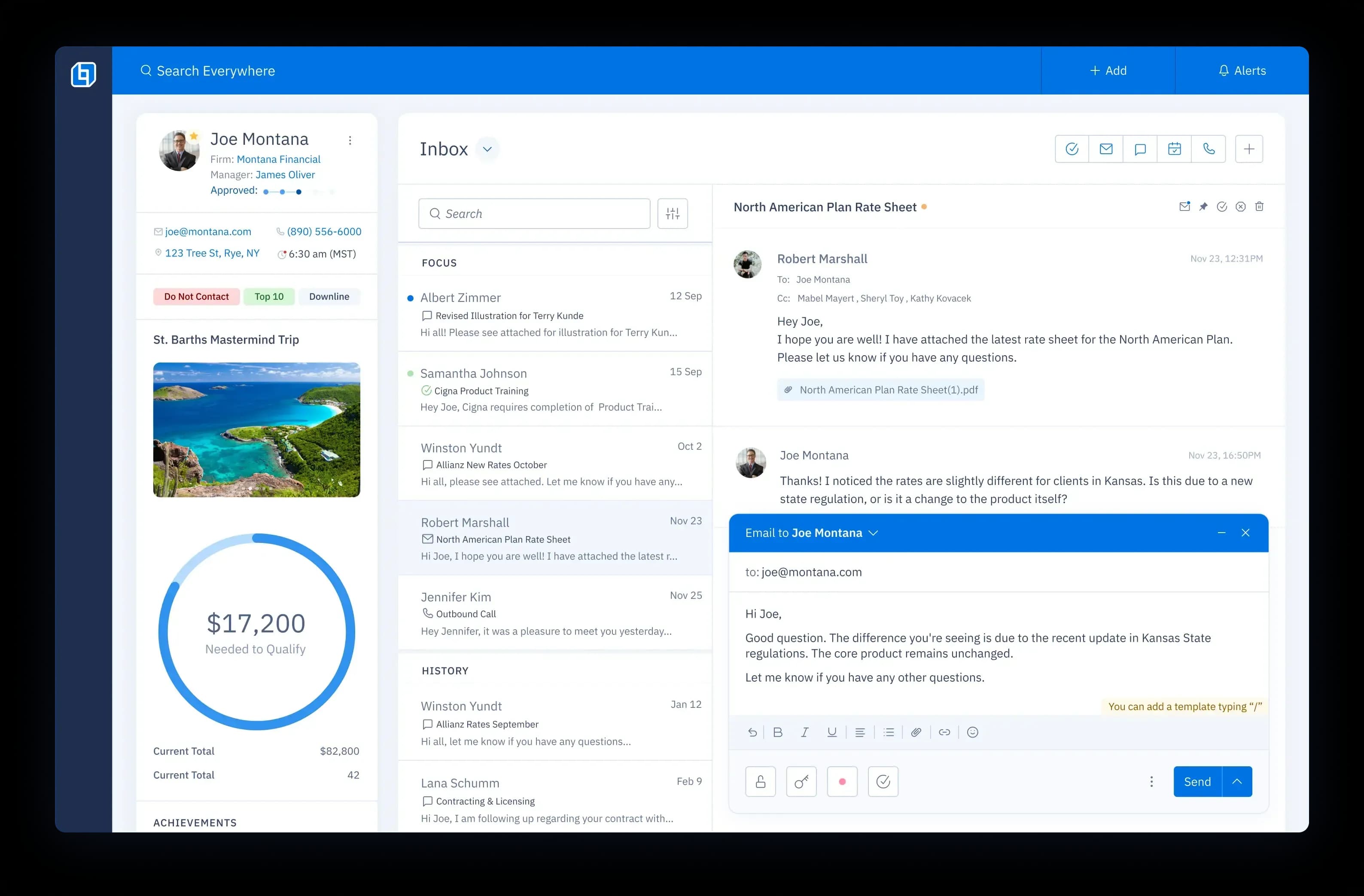
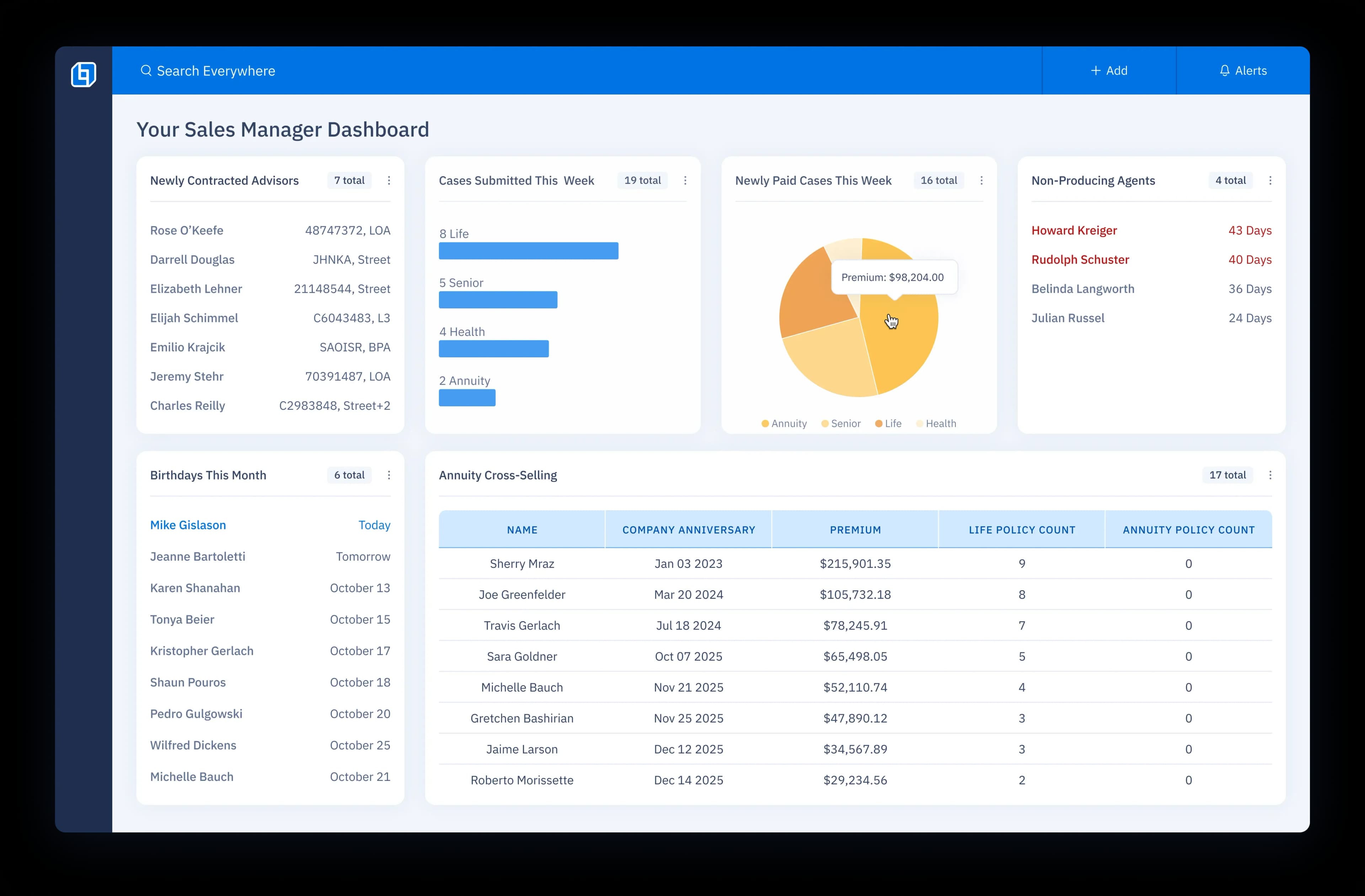
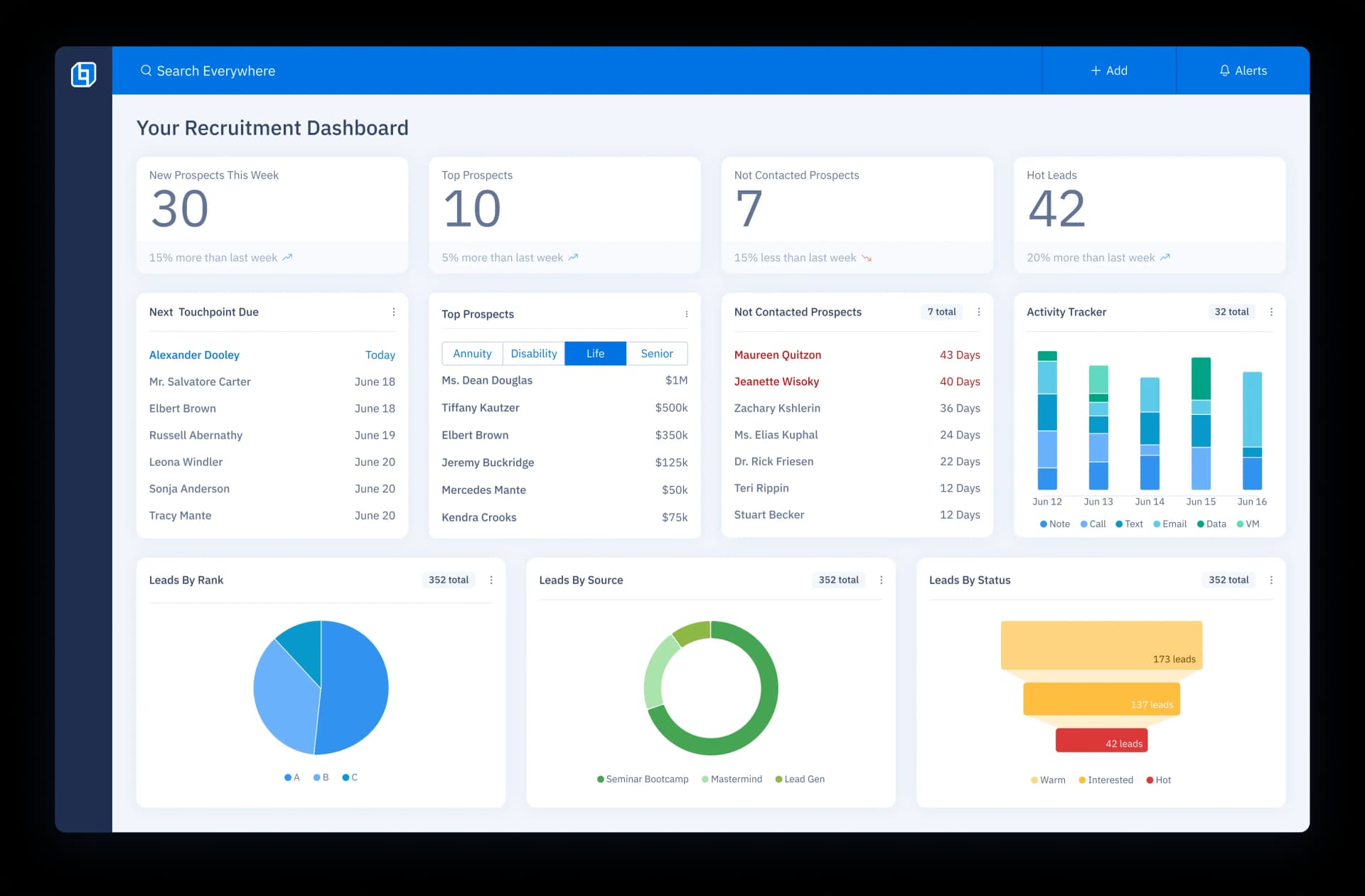
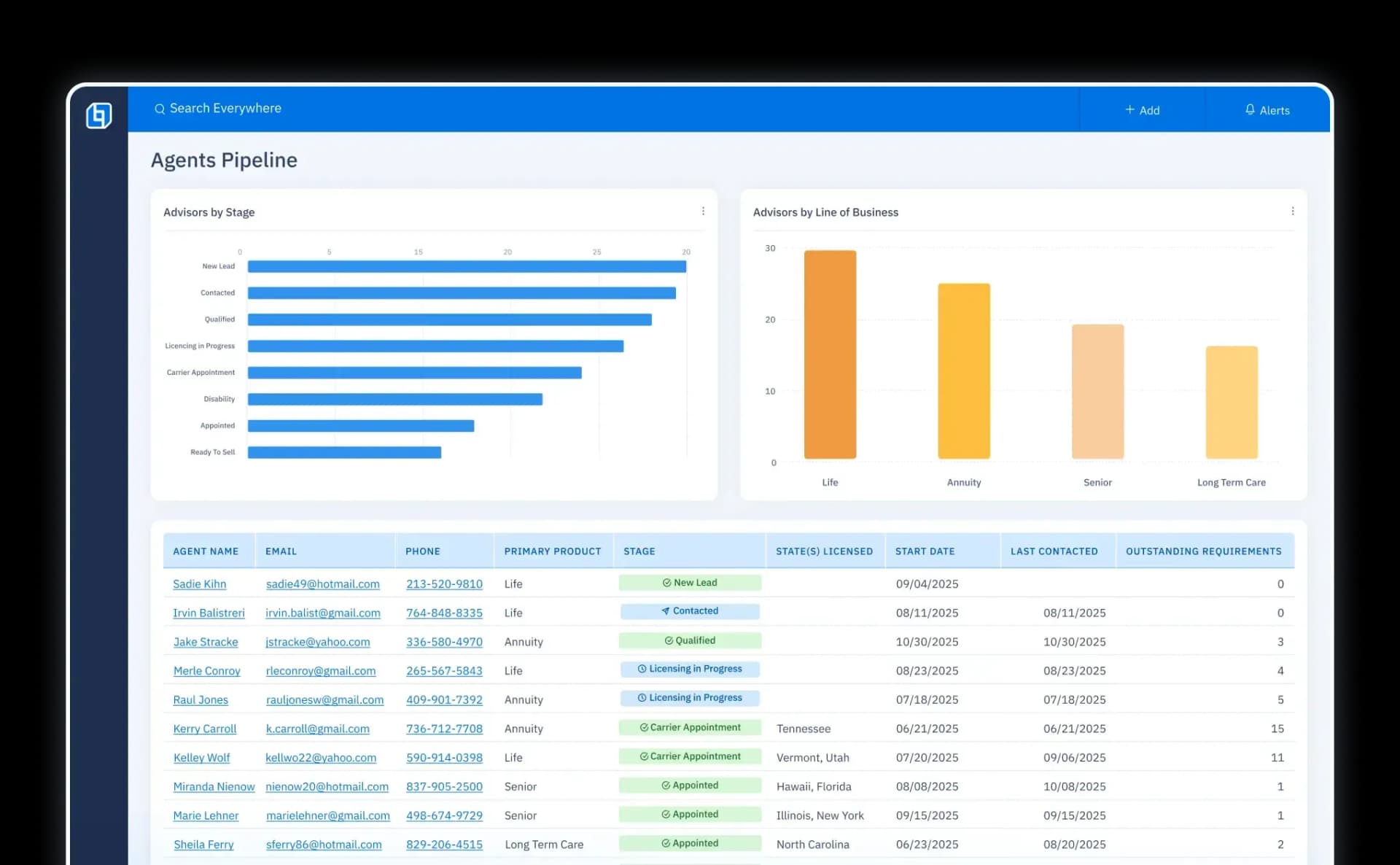
CRM recruitment dashboard showing prospect metrics, touchpoints, and lead tracking tools.Dashboard displaying a Company YTD leaderboard with agents ranked by premium in a bar chart.UI screen showing an agent profile on the left with discussion history of past interactions on the right.Sales manager dashboard with pie charts and bar charts showing newly contracted advisors, cases submitted this week, newly paid cases this week, and more stats.
CRM recruitment dashboard showing prospect metrics, touchpoints, and lead tracking tools.

Frustrated with...

Not being able to quickly help your agents when they call?
Not knowing which agent to contact next?
Not knowing what’s going on with your agents?
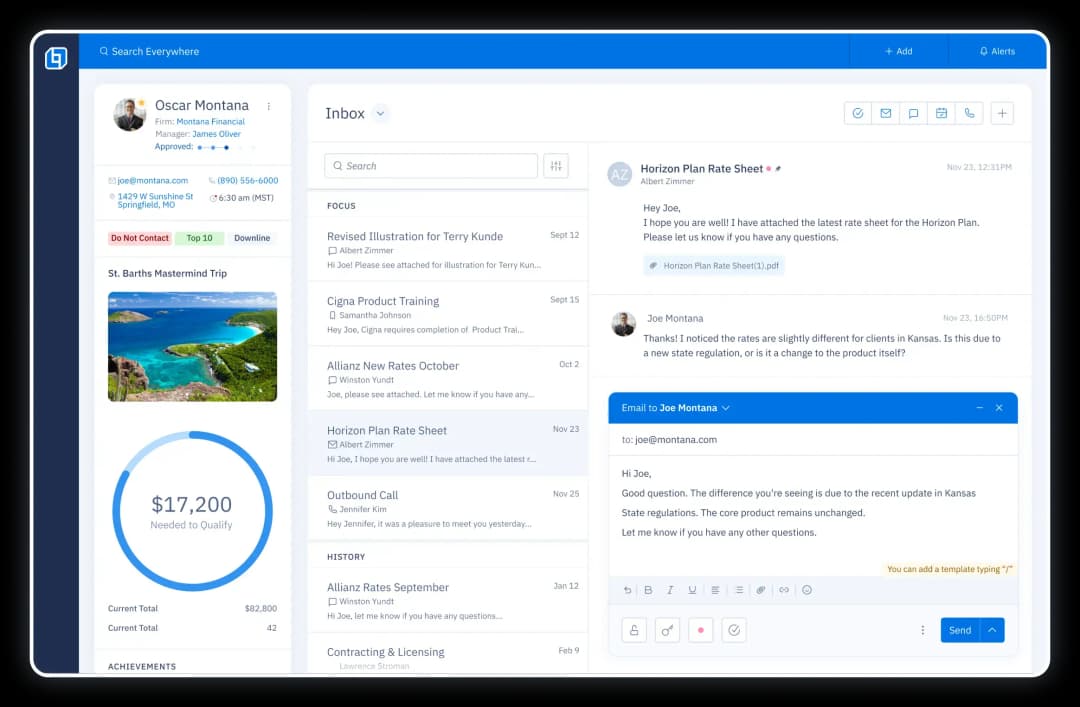
Tooltips Mobile
Tooltips Mobile

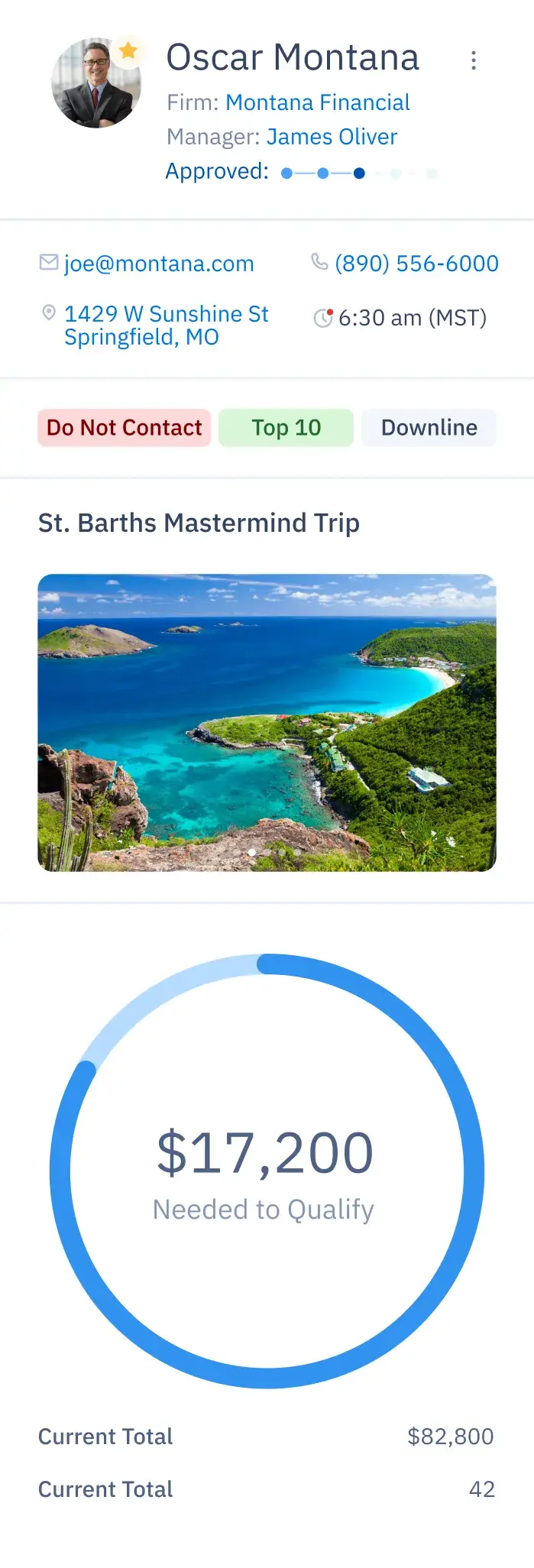
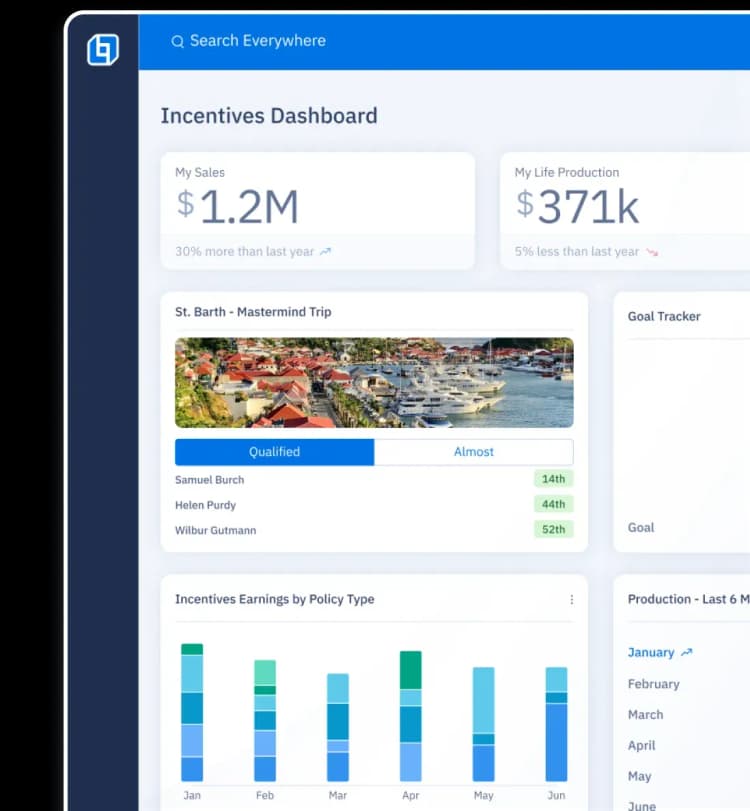
Monitor progress toward trips and incentives.
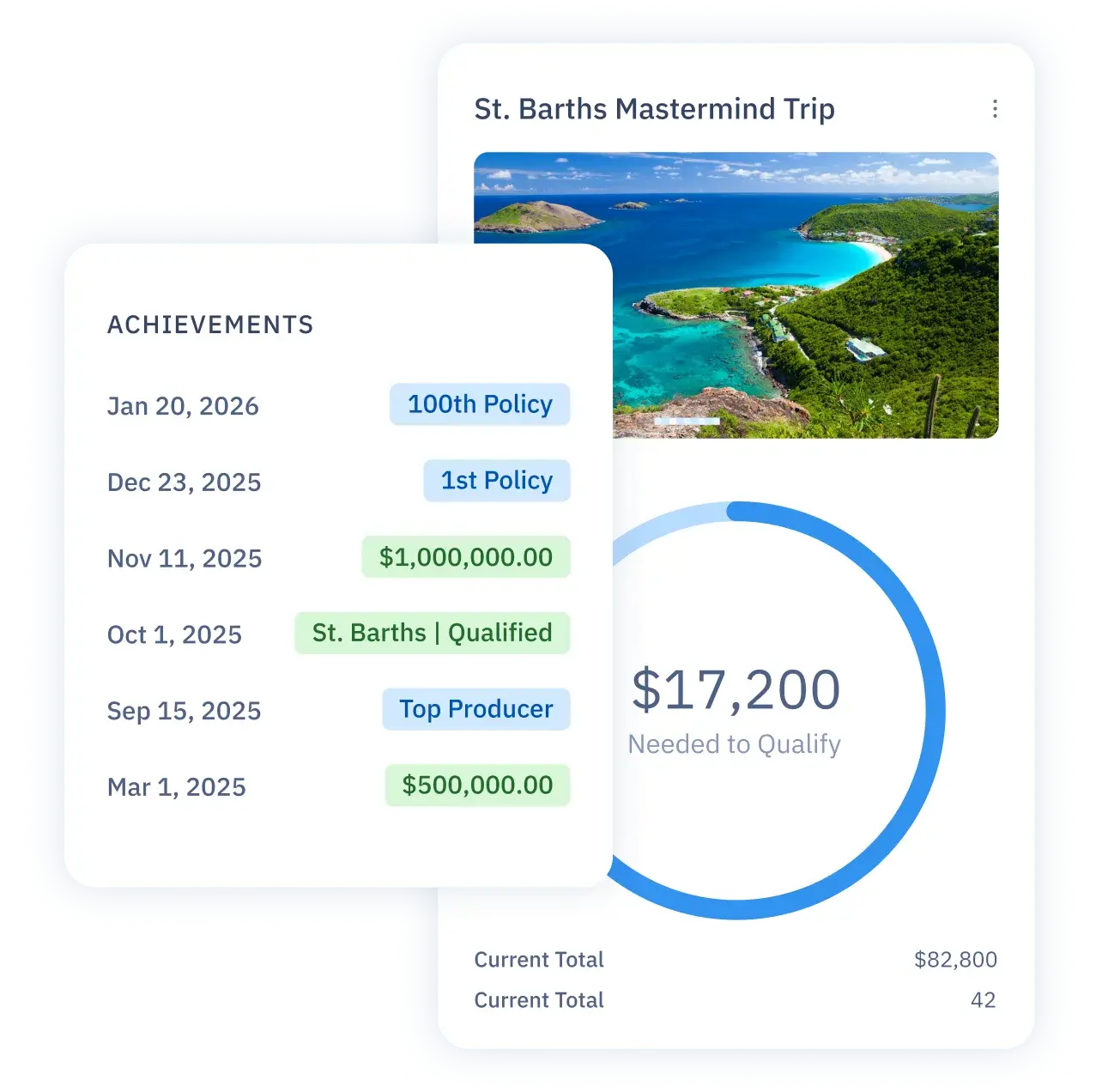
Monitor progress toward trips and incentives.

Track agent production and milestones.
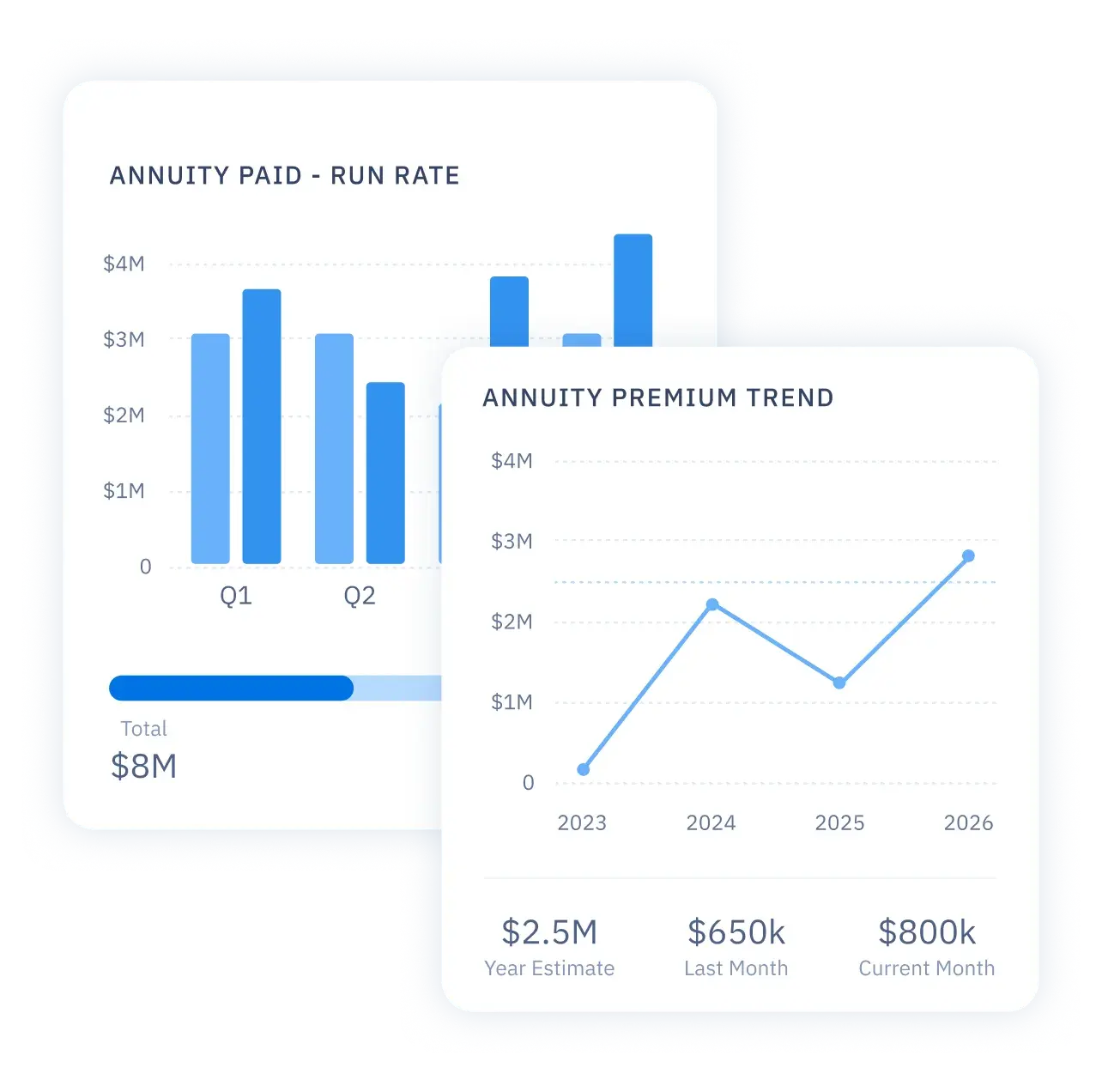
Track agent production and milestones.

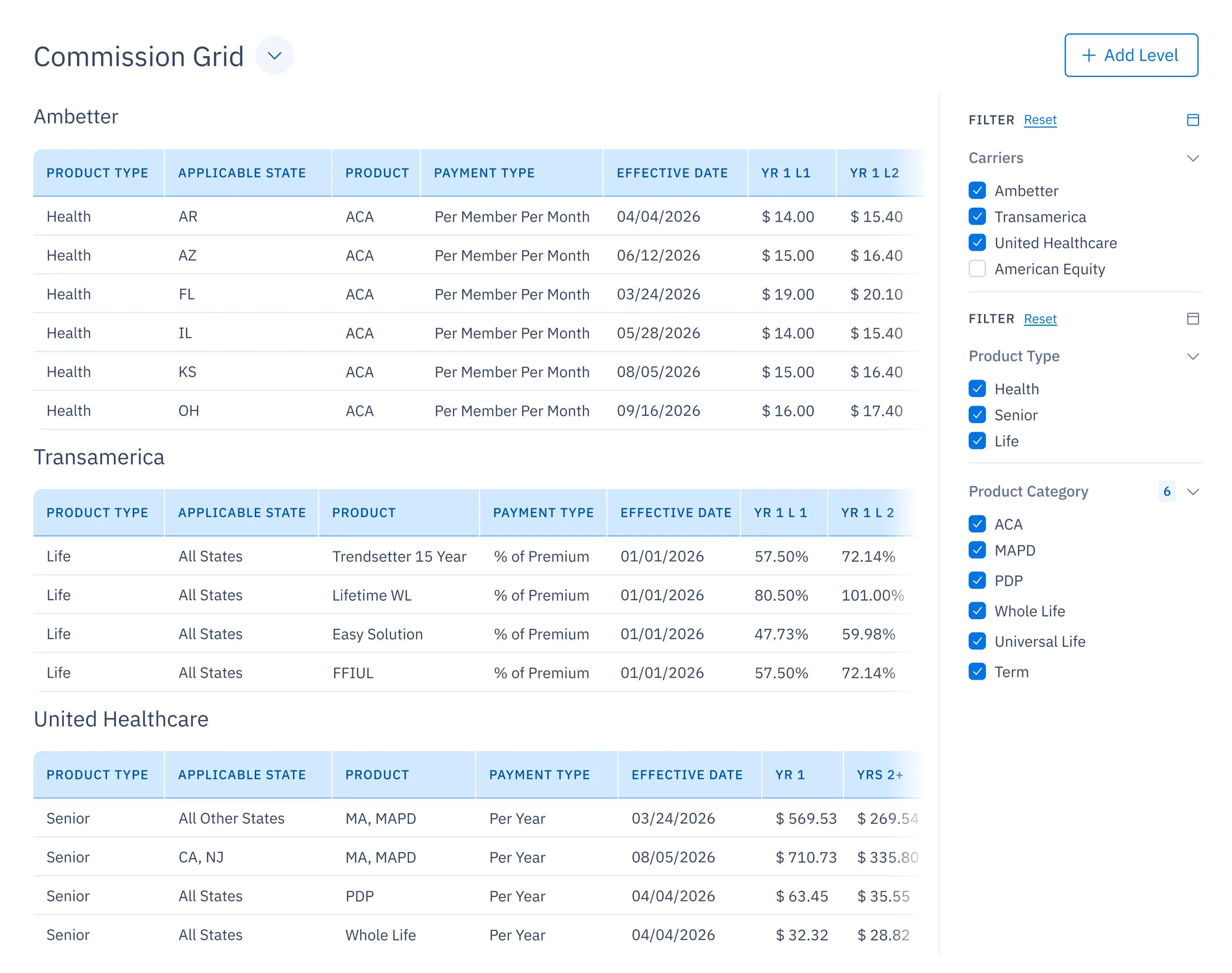
Easily answer commissions questions.
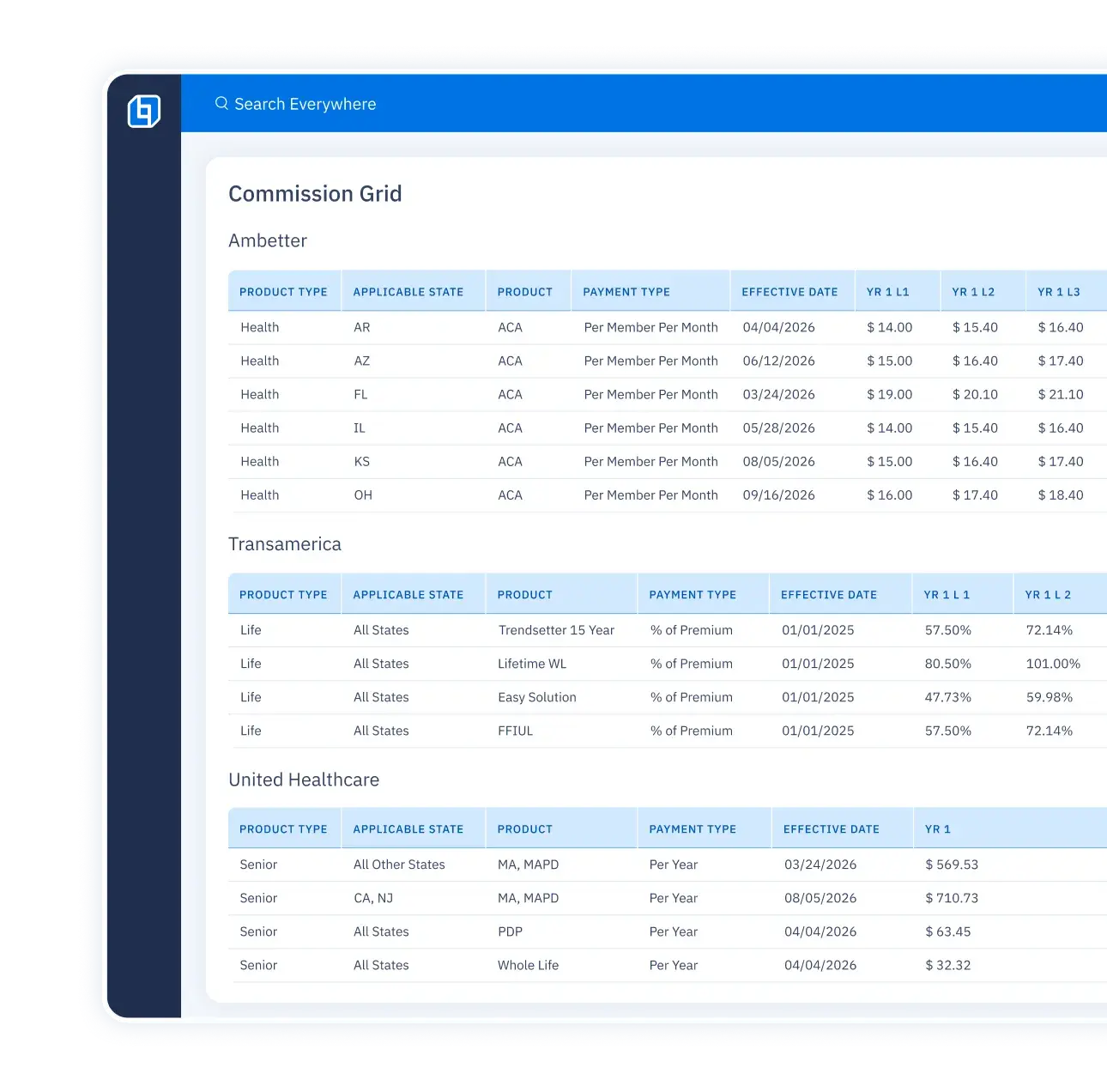
Easily answer commissions questions.

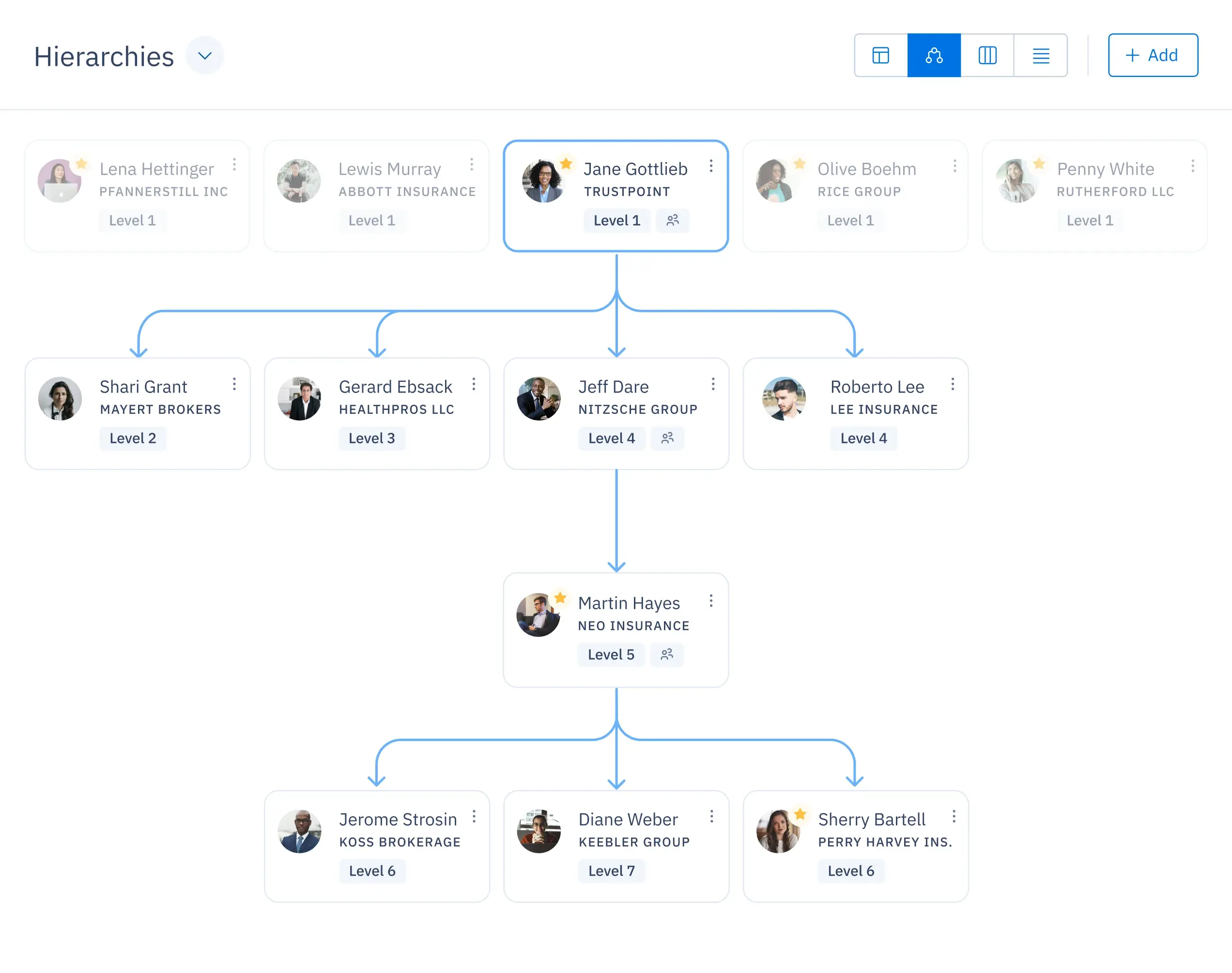
Navigate hierarchies with ease.
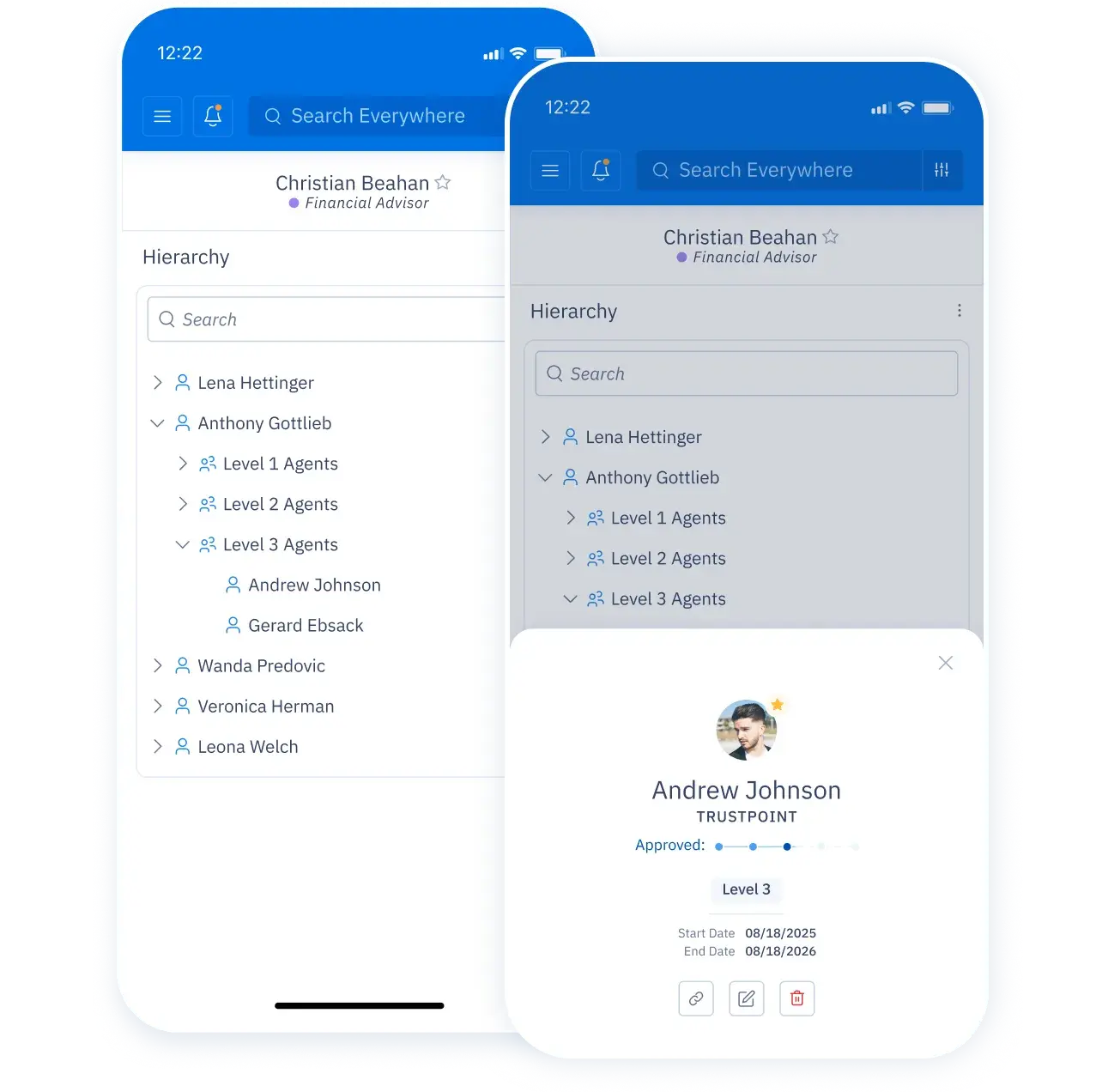
Navigate hierarchies with ease.

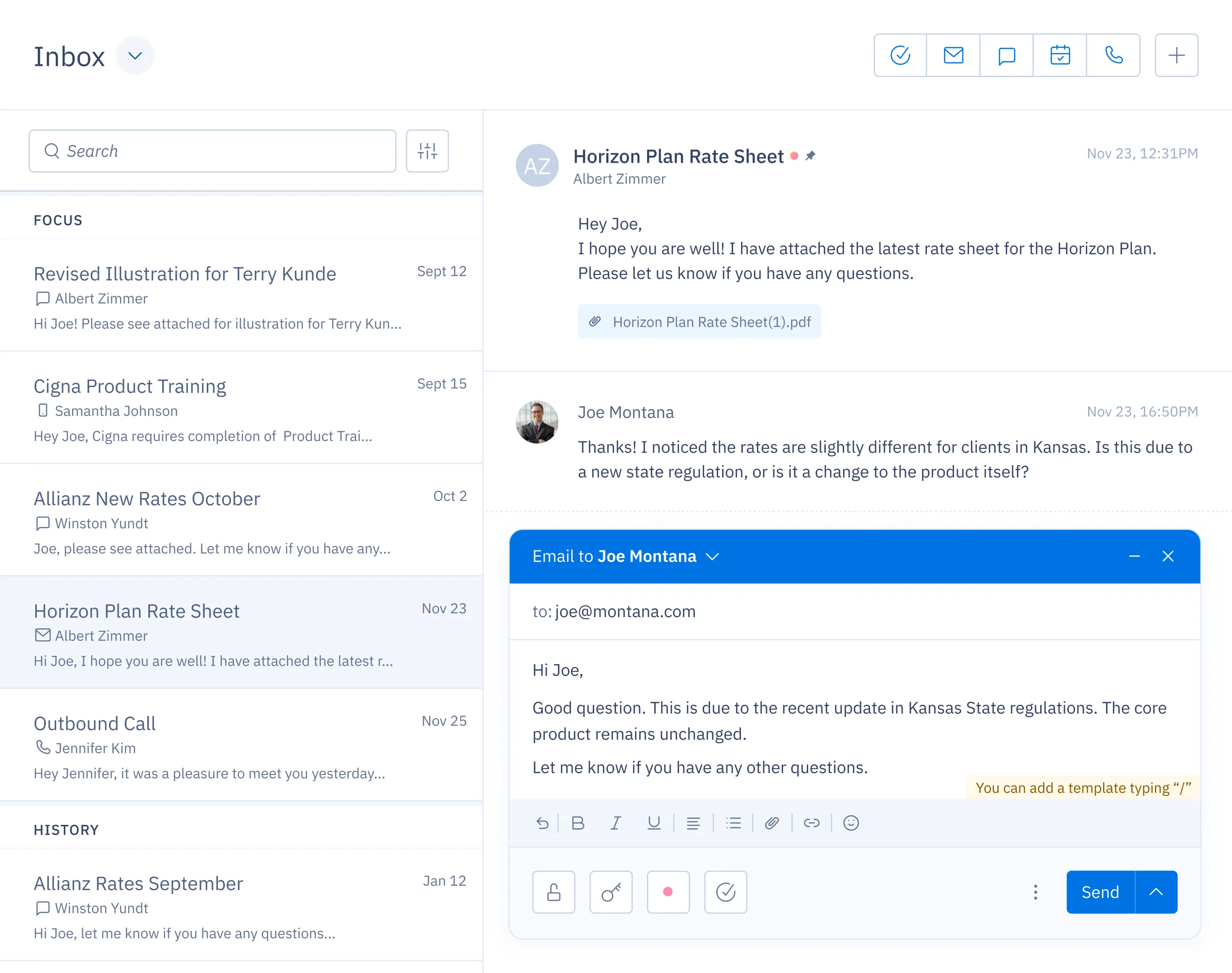
Stay on top of all communication.
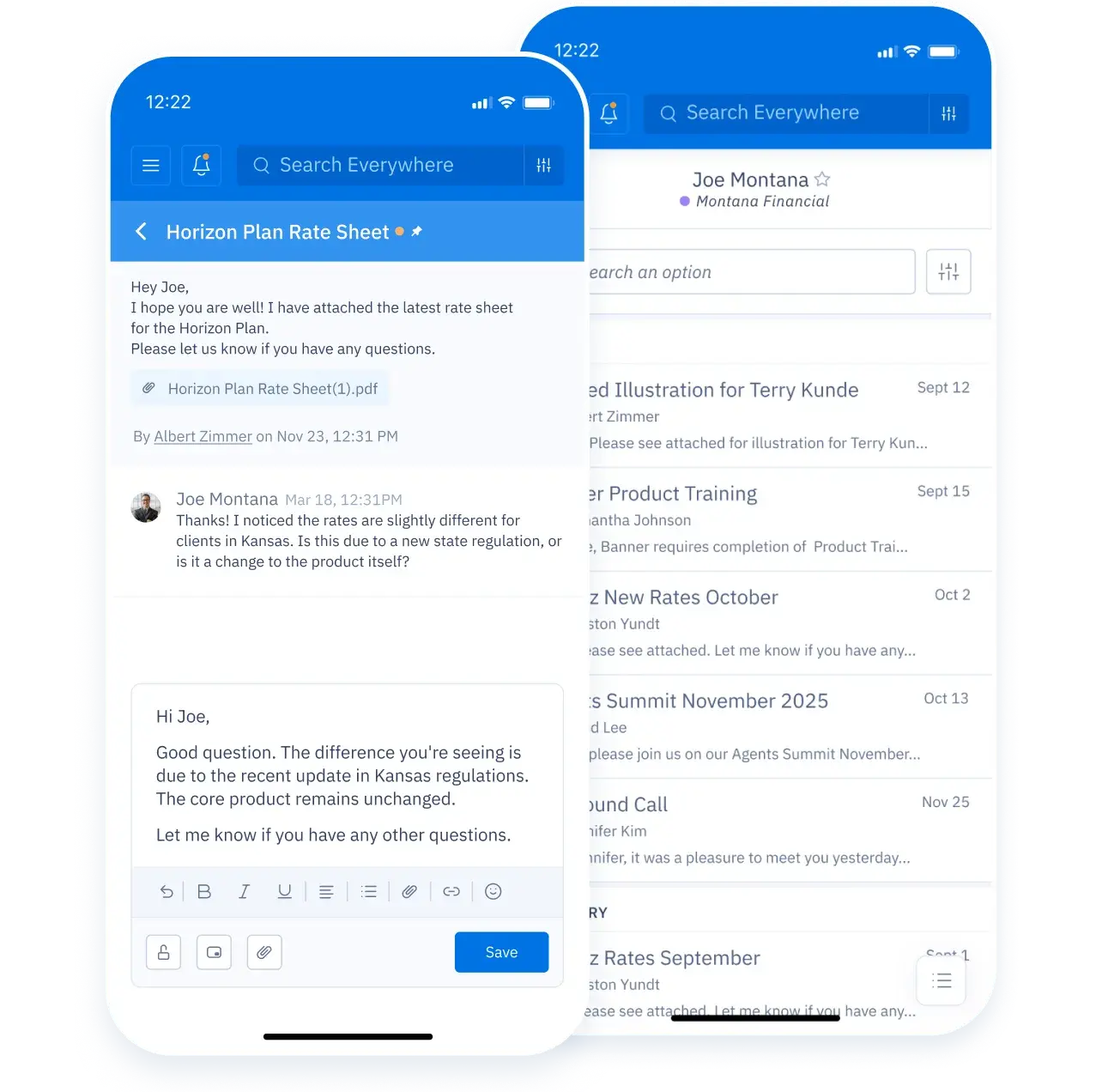
Stay on top of all communication.

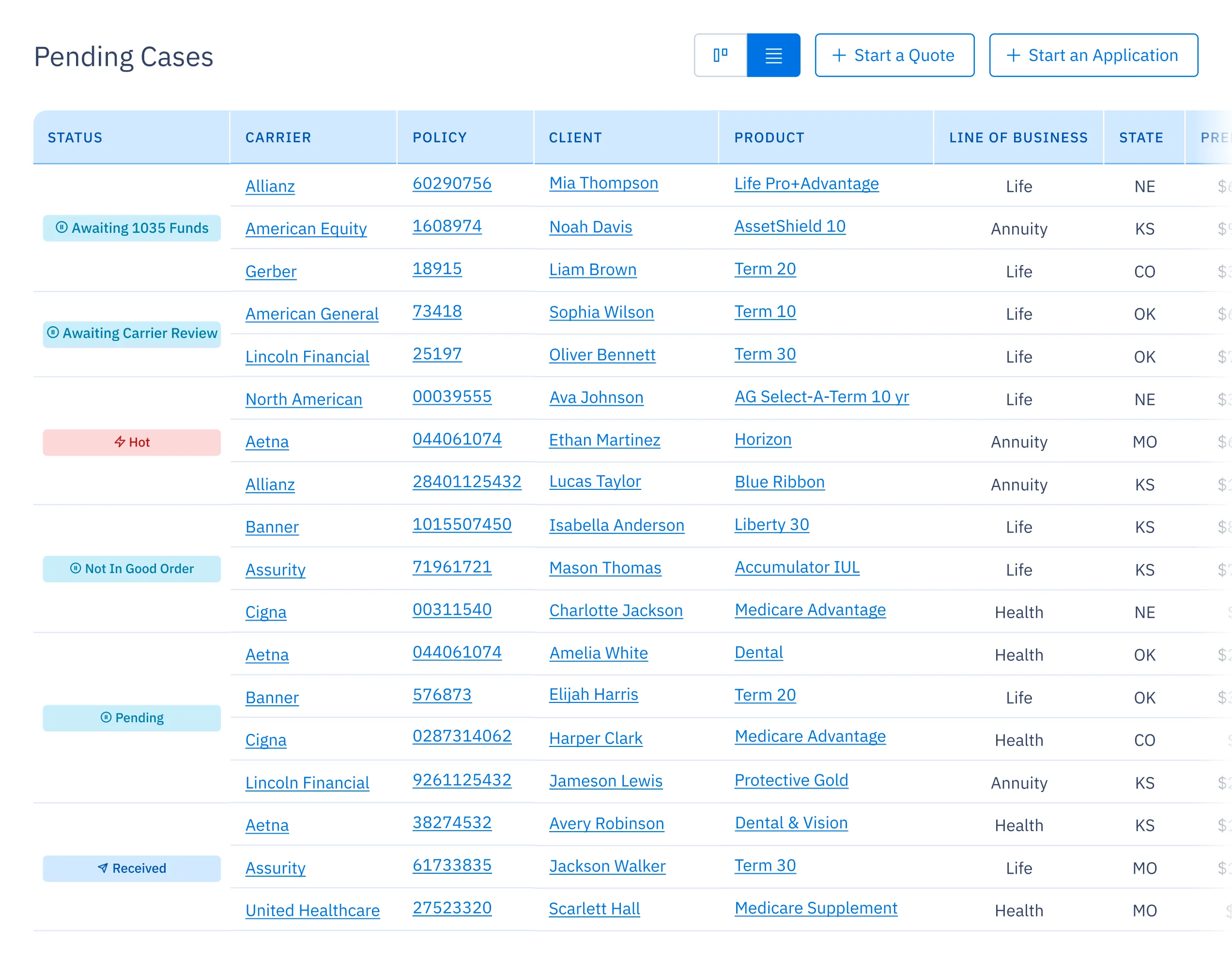
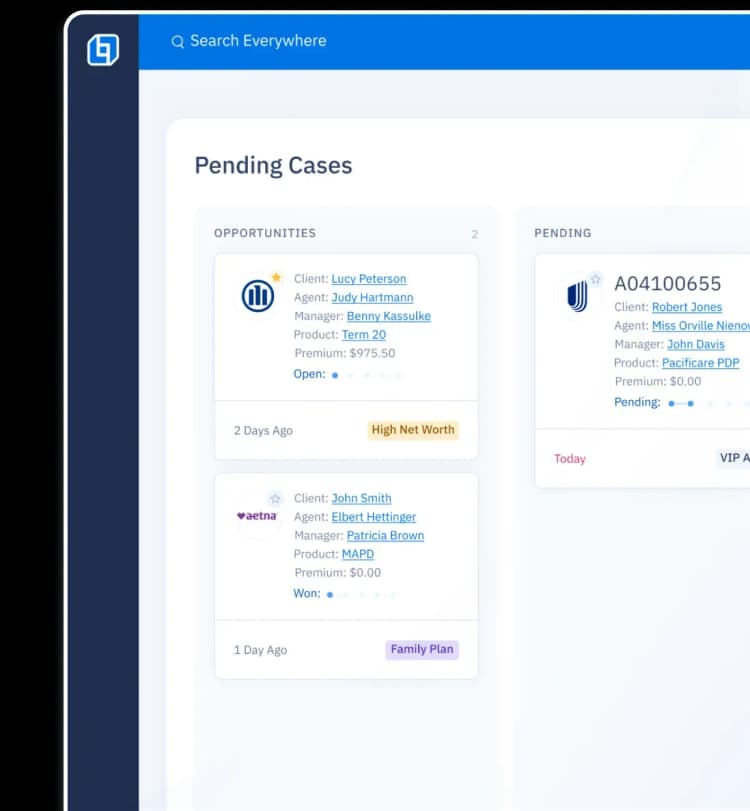
Track your agents' pending cases.
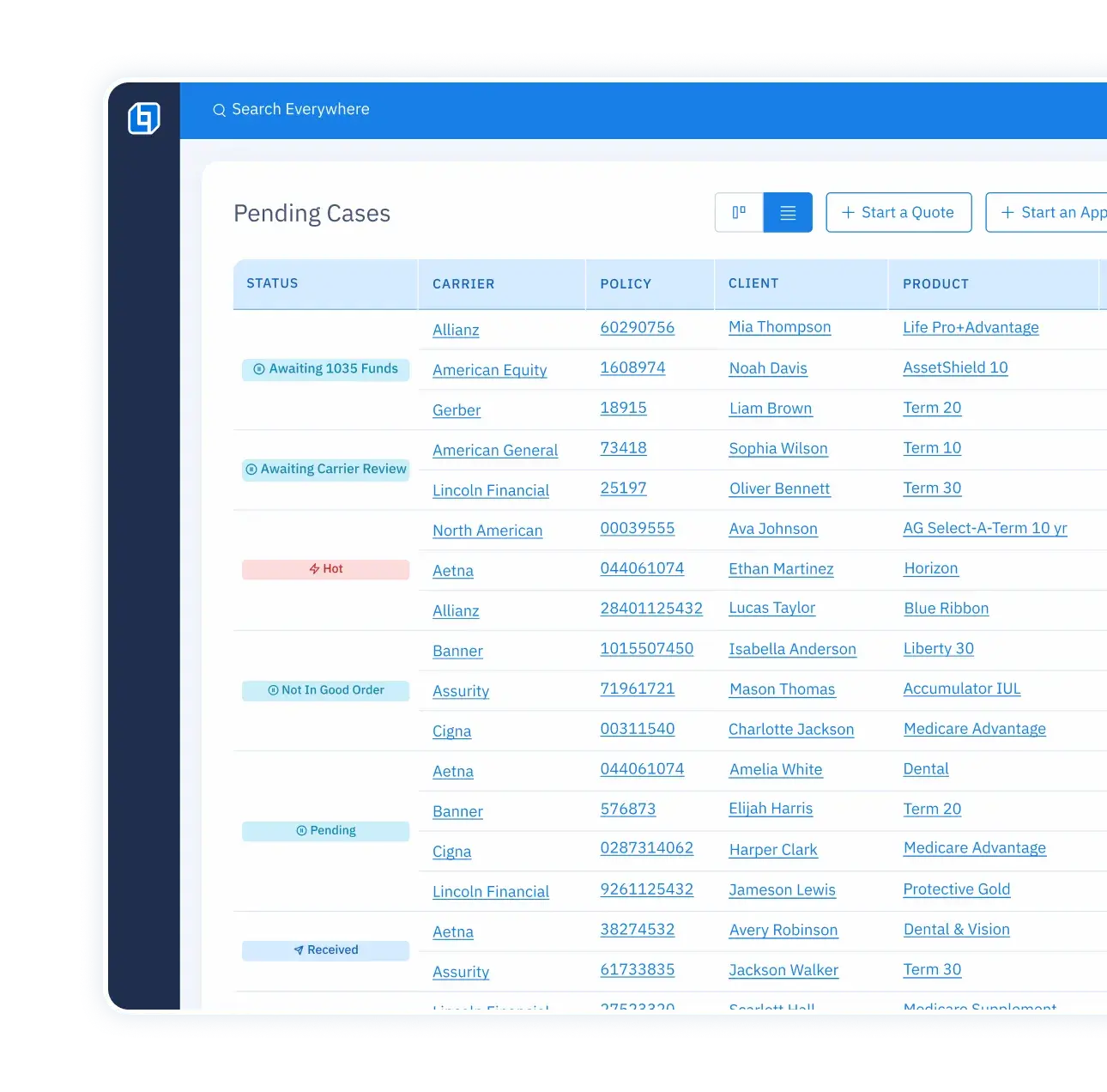
Track your agents' pending cases.

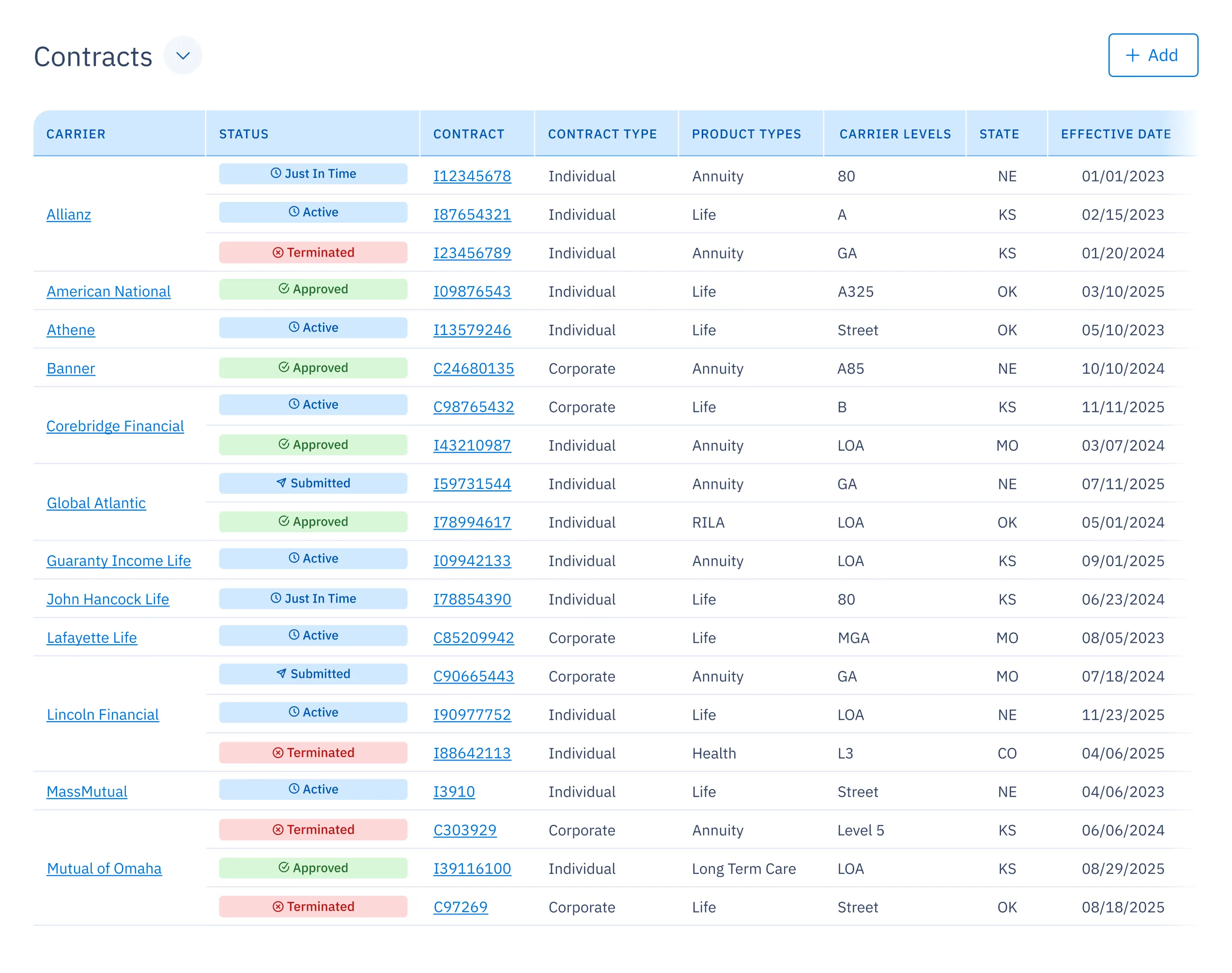
Easily view carrier, contracts and levels.
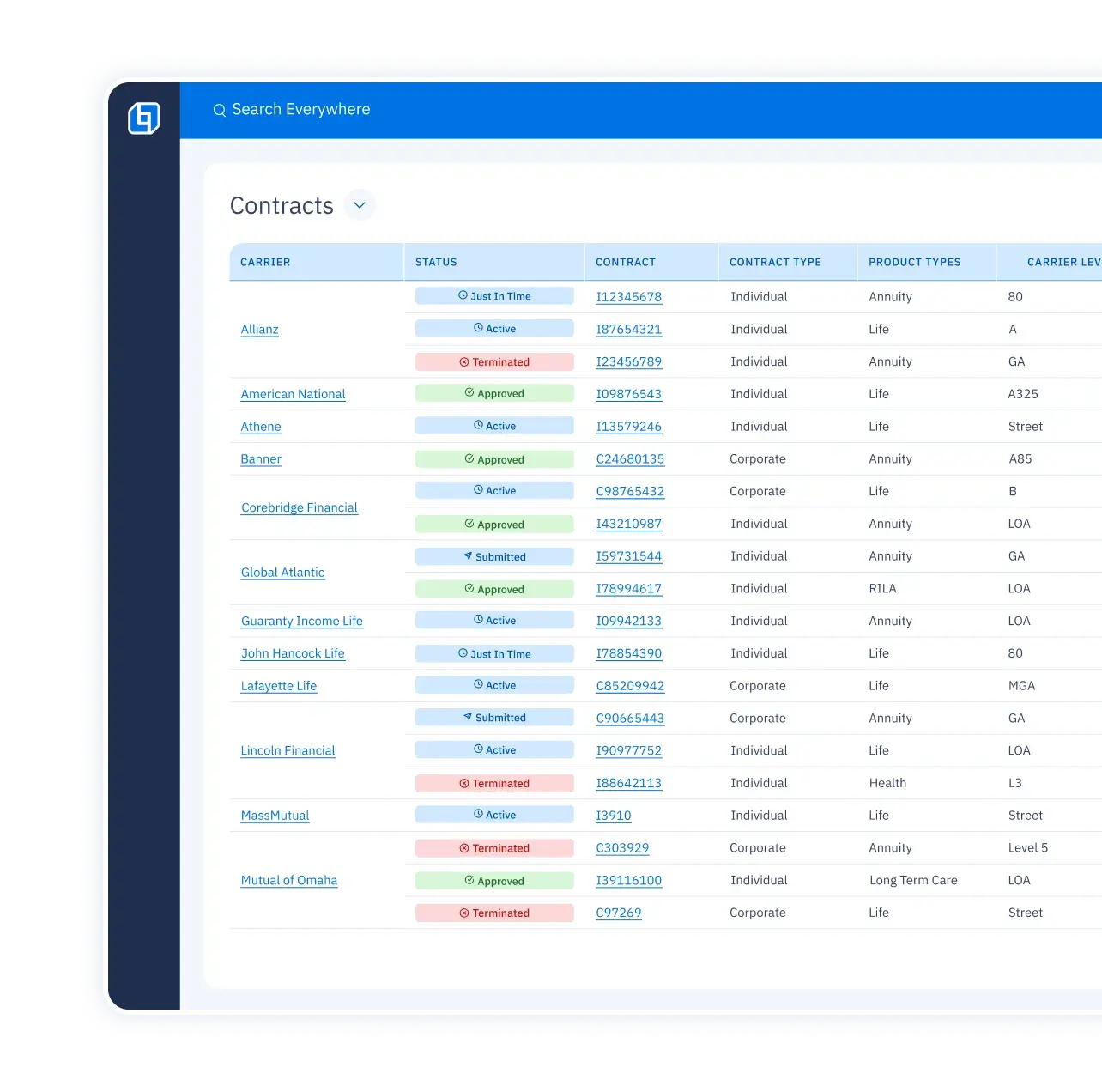
Easily view carrier, contracts and levels.

All agent data at your fingertips.
Dashboard-1
Agent profile screen showing name, firm, premium trends, achievements, and trip/incentive progress.UI screen showing an agent profile on the left with submitted and pending requirements listed on the right.
Agent profile screen showing name, firm, premium trends, achievements, and trip/incentive progress.Commission grid UI with tables per carrier and a right column of filters by carrier, product, or type.
Agent profile screen showing name, firm, premium trends, achievements, and trip/incentive progress.UI screen of a hierarchy tree showing agent distribution levels.
Agent profile screen showing name, firm, premium trends, achievements, and trip/incentive progress.
UI screen showing all discussion threads and conversations for a specific agent.
Agent profile screen showing name, firm, premium trends, achievements, and trip/incentive progress.List view of pending cases including policy numbers, clients, carriers, products, and assigned agents.
Agent profile screen showing name, firm, premium trends, achievements, and trip/incentive progress.List view of contract records showing contract numbers, agents, carriers, levels, statuses, and product types.

Campaigns that get results.

Background Shape

Campaigns that get results.

1
Set up your campaign.
Skip the busy work. Just pick your saved templates, customize your message and you’re ready to go.
2
Choose a targeted agent list.
Filter and select the right agents so your campaign lands where it matters most.
3
Work it.
Hit send and get results. Email blast, text message or power dial any list – all lightning fast.

Track incentive programs, trips and marketing credits.

DISCOVER ICM
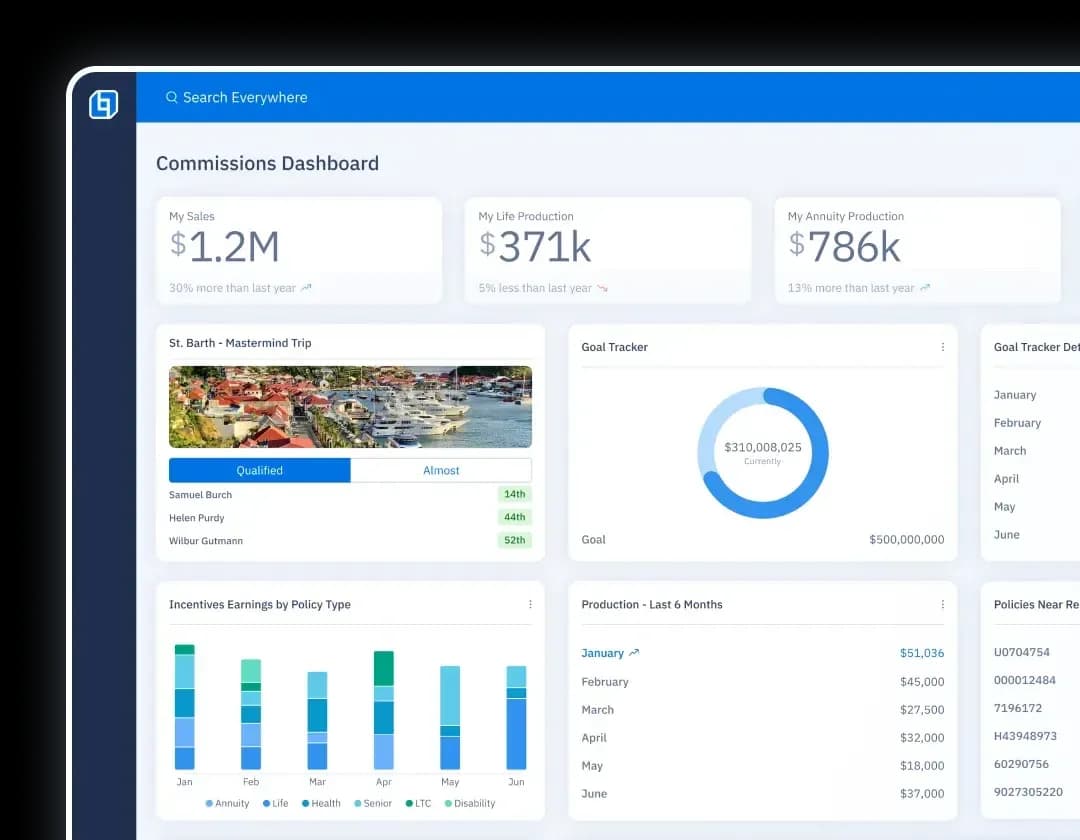
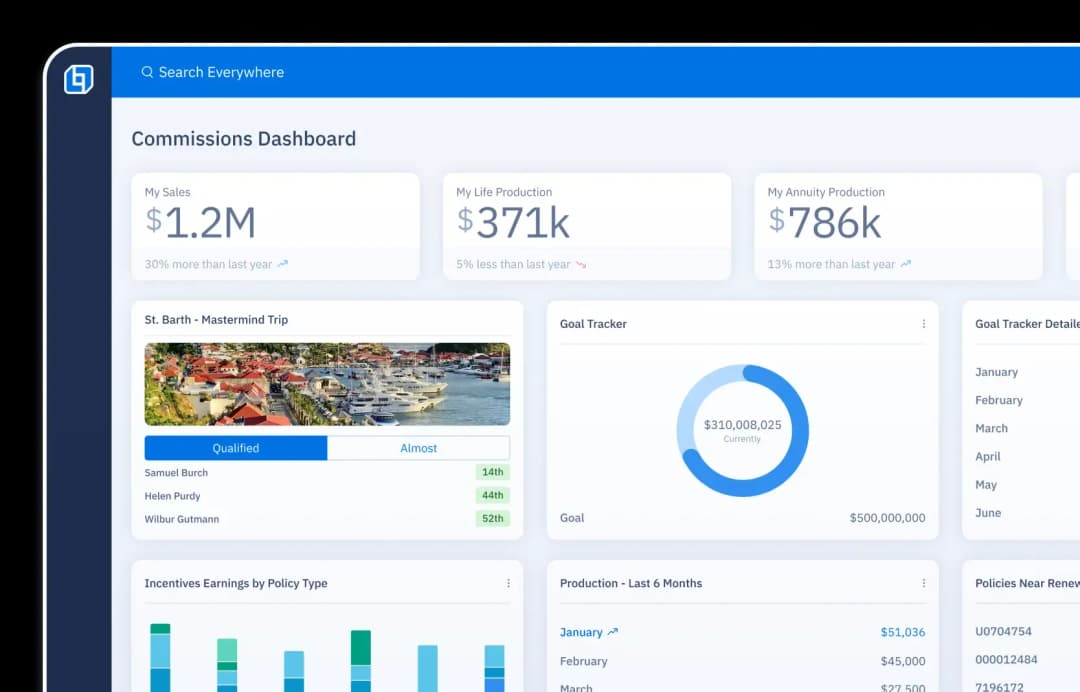
Commissions dashboard UI showing sales, life and annuity production, incentives, and goal progress.Commissions dashboard UI showing sales, life and annuity production, incentives, and goal progress.

Keep sales moving.

Pipeline

Keep every deal moving forward in a visual pipeline, so you always know what needs attention.
Dashboard displaying pending cases in a Kanban view with statuses: opportunities, pending, approved, issued.

Follow-ups

Get reminders to stay in contact with top agents and prospects.
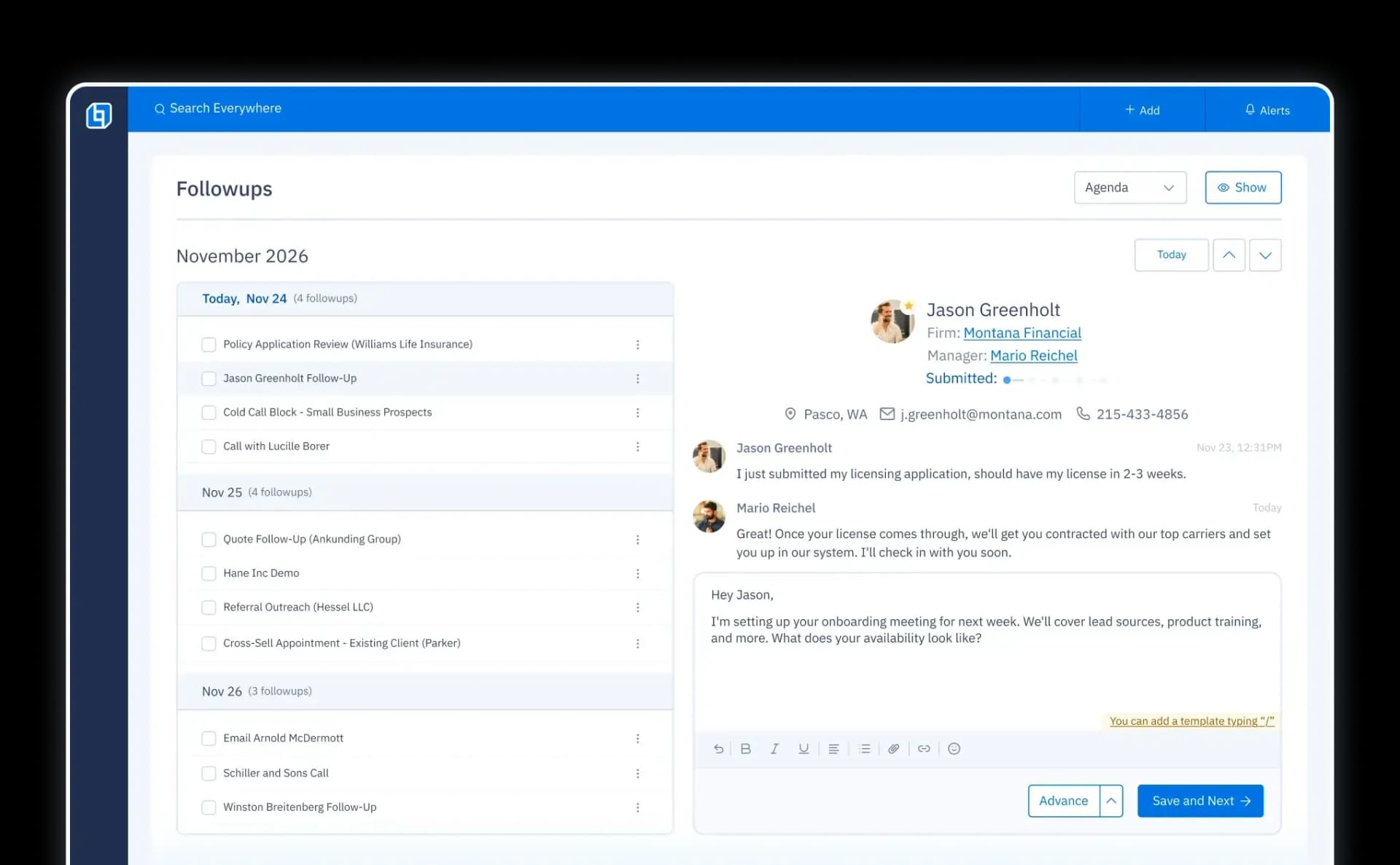
Follow-ups UI with a checklist of agents and prospects by date, plus chat for direct follow-ups.

Calendar

Sync your calendar to easily schedule meetings, subscribe to the company marketing calendar and track rate changes – all in one view.
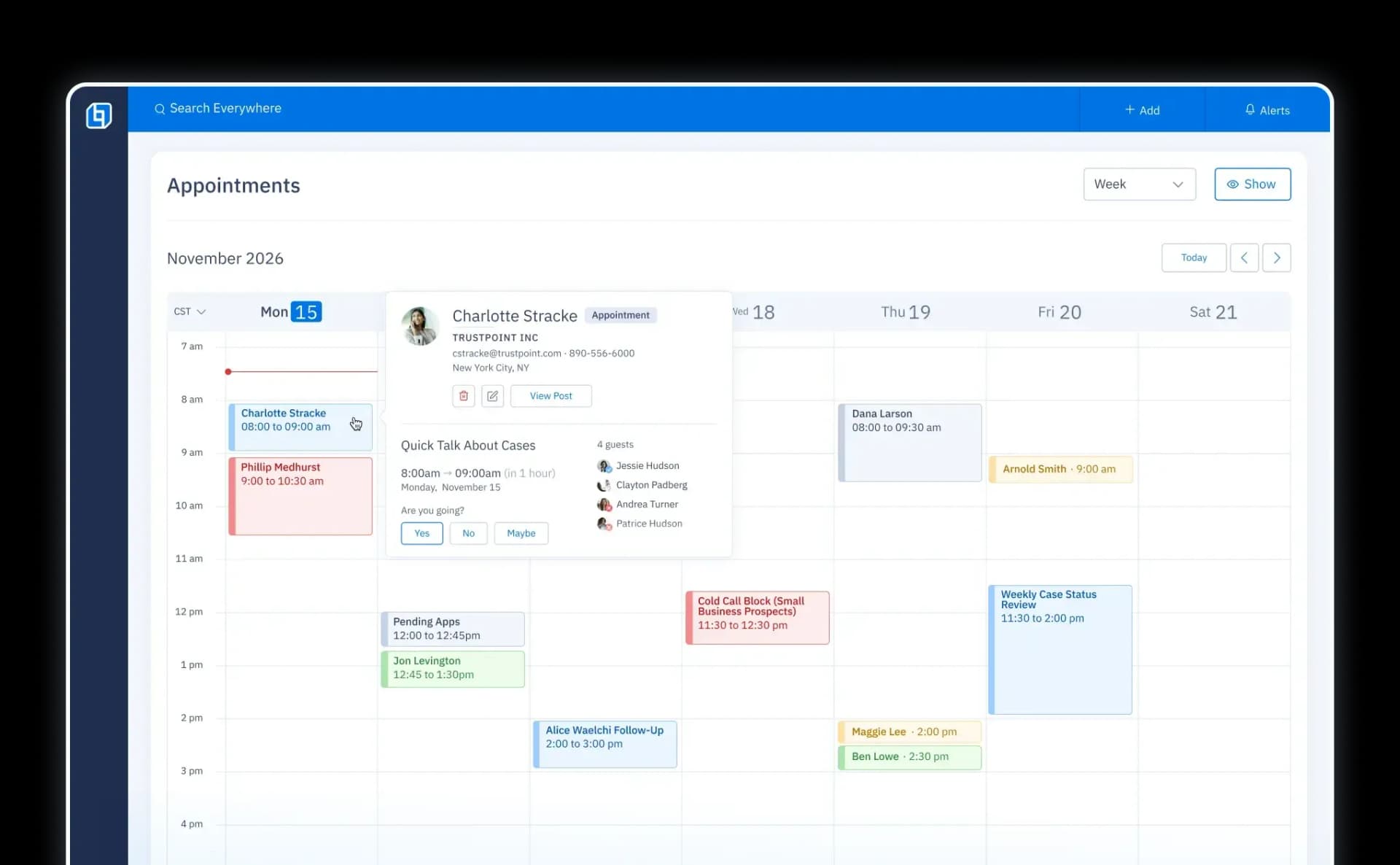

Calendar UI showing insurance distribution events scheduled for a specific week.
Background Waves

AGENT PORTAL

Built for professional service.

LEARN MORE
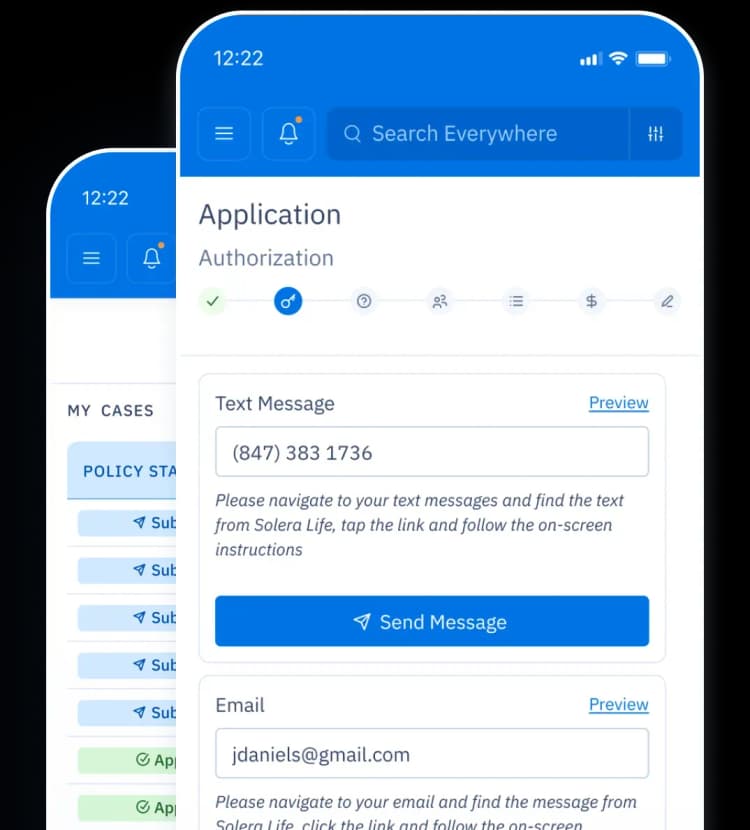
Three mobile dashboards of the agent portal showing contracts, commissions, and book of business.

Reports & Dashboards

Data that works for you (for a change).
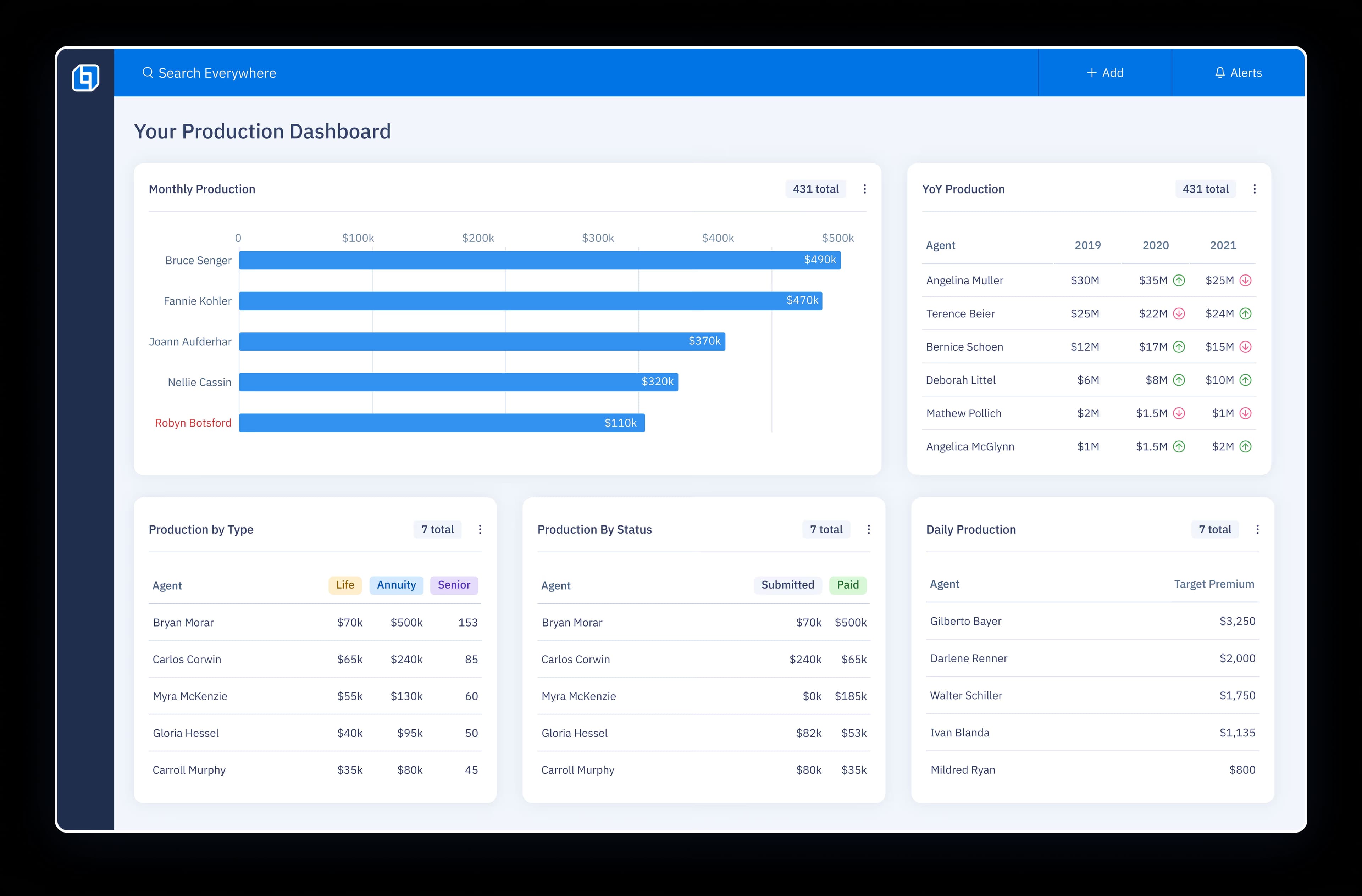
UI of three floating cards: a list of Year-over-Year (YoY) production metrics, a line graph illustrating the Premium trend, and a bar chart displaying override amounts each month.
UI of three floating cards: a pie chart showing Leads by Rank, a bar graph illustrating Activity Tracker metrics, and a third card with a list of production numbers for each sales manager.
UI of two floating cards: one showing a list of requirements with their current status and the other showing the policy status life cycle.
UI of two floating cards: a table of agent profitability showing a list of advisors with columns for override, commissions, and profitability, and a production leaderboard bar chart.
UI of two floating cards: one is a progress bar showing progress toward qualifying for a trip, and the other is a photo of St. Barths displaying a list of qualified agents.
UI of three floating cards: a list of Year-over-Year (YoY) production metrics, a line graph illustrating the Premium trend, and a bar chart displaying override amounts each month.
UI of three floating cards: a pie chart showing Leads by Rank, a bar graph illustrating Activity Tracker metrics, and a third card with a list of production numbers for each sales manager.
UI of two floating cards: one showing a list of requirements with their current status and the other showing the policy status life cycle.
UI of two floating cards: a table of agent profitability showing a list of advisors with columns for override, commissions, and profitability, and a production leaderboard bar chart.
UI of two floating cards: one is a progress bar showing progress toward qualifying for a trip, and the other is a photo of St. Barths displaying a list of qualified agents.
UI of three floating cards: a list of Year-over-Year (YoY) production metrics, a line graph illustrating the Premium trend, and a bar chart displaying override amounts each month.
UI of three floating cards: a pie chart showing Leads by Rank, a bar graph illustrating Activity Tracker metrics, and a third card with a list of production numbers for each sales manager.
UI of two floating cards: one showing a list of requirements with their current status and the other showing the policy status life cycle.
UI of two floating cards: a table of agent profitability showing a list of advisors with columns for override, commissions, and profitability, and a production leaderboard bar chart.
UI of two floating cards: one is a progress bar showing progress toward qualifying for a trip, and the other is a photo of St. Barths displaying a list of qualified agents.
Background

Insuritect

“OneHQ really helps my sales team stay on task and get the follow ups that they need to get a prospect to cross the finish line.”

Justin Snapp | CEO

Launch: Go Live in 3 Steps

Our proven process has had over 100 successful launches, you can trust us to get it right. Regardless of your previous experiences, there is no need to stress—we are your technology partner for life.

1
Discovery
We listen to your problems and we demonstrate the solutions to ensure we're a good fit.
2
Onboarding
We convert 100% of your data, train your team and customize the platform so the transition is not disruptive.
3
Success
Going Live is just the beginning; our technology and industry experts ensure your business maximizes the use of technology into the future.

LEARN MORE
rocketrocket
Illustration of a rocket blueprint with the OneHQ logo.

All-in-one platform for Insurance Distribution.

Reduce busy work and help more clients.
Our technology is the key to unlocking more sales and providing professional service.